

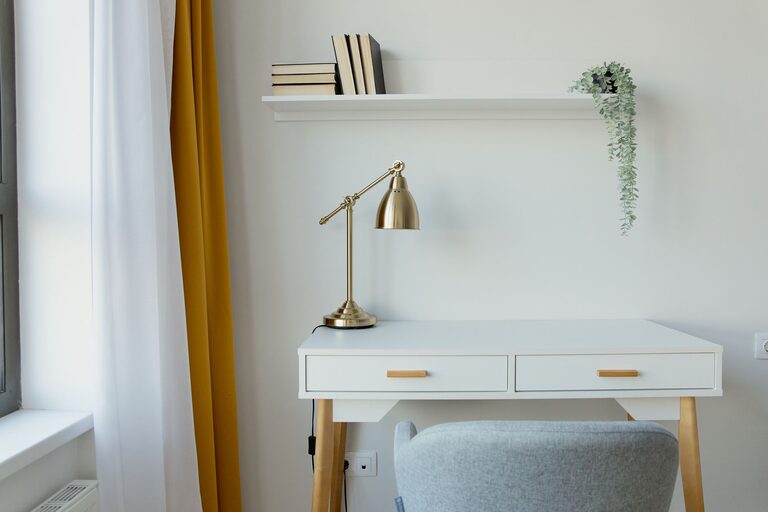
Creating a home workspace that is both cozy and functional can make a big difference in how you feel about working from home. A well-designed area helps you stay focused, comfortable, and organized throughout the day. Whether you have a dedicated room or just a small corner, these tips will guide you in creating a space that works for you.
Choose the Right Location
Finding the best spot for your workspace is the first step. Ideally, look for a quiet area with minimal distractions. Natural light is a big plus, as it can improve mood and energy levels.
– Avoid high-traffic areas where noise and interruptions are common.
– If possible, position your desk near a window to enjoy daylight.
– Make sure there is enough room for your essential equipment without feeling cramped.
Invest in Comfortable Furniture
Comfort matters when you spend hours working daily. A good chair and desk can prevent discomfort and promote better posture.
– Select an ergonomic chair that supports your back and encourages good posture.
– Choose a desk at the right height to keep your wrists straight while typing.
– Consider adjustable furniture if you want to switch between sitting and standing.
Organize Your Space
A clutter-free workspace improves focus and efficiency. Organizing your items thoughtfully keeps everything within reach and creates a pleasant environment.
– Use storage solutions like shelves, drawers, or bins to keep supplies neat.
– Keep only essential items on your desk to reduce distractions.
– Label containers or files to easily find what you need.
Personalize Your Workspace
Adding personal touches can make your workspace inviting and inspiring.
– Display a few favorite photos or artwork.
– Include a small plant to add greenery and fresh air.
– Choose colors and décor that you find calming and motivating.
Optimize Lighting
Lighting plays a crucial role in your comfort and productivity.
– Use a combination of natural light and task lighting.
– Position your desk lamp to avoid glare on your screen.
– Consider warm bulbs for a cozy atmosphere or bright white bulbs for focus.
Minimize Distractions
Creating boundaries helps you separate work from home life and maintain concentration.
– Use noise-canceling headphones or soft background music if needed.
– Turn off non-work-related notifications on your devices.
– Let family or housemates know your work hours to limit interruptions.
Keep Technology Efficient and Accessible
Ensure your tech setup supports your work needs without cluttering the space.
– Invest in a reliable computer and high-speed internet.
– Use cable organizers to keep cords untangled and out of sight.
– Place frequently used devices within easy reach.
Add Comfort Elements
Small details can enhance your overall comfort during long work sessions.
– Keep a cozy blanket or cushion nearby.
– Have a water bottle or mug for drinks within easy reach.
– Maintain a comfortable room temperature.
Regularly Refresh Your Workspace
Over time, your needs may change, and refreshing your workspace can keep it inviting.
– Declutter periodically to stay organized.
– Rearrange furniture for better flow or new inspiration.
– Update décor to reflect current tastes or seasons.
Conclusion
Designing a cozy and functional home workspace is about balancing comfort, efficiency, and personal style. By choosing the right location, investing in ergonomic furniture, organizing carefully, and adding personal touches, you can create a space where work feels less like a chore and more enjoyable. Take the time to set up your workspace thoughtfully, and you’ll likely notice a positive impact on your productivity and well-being.