

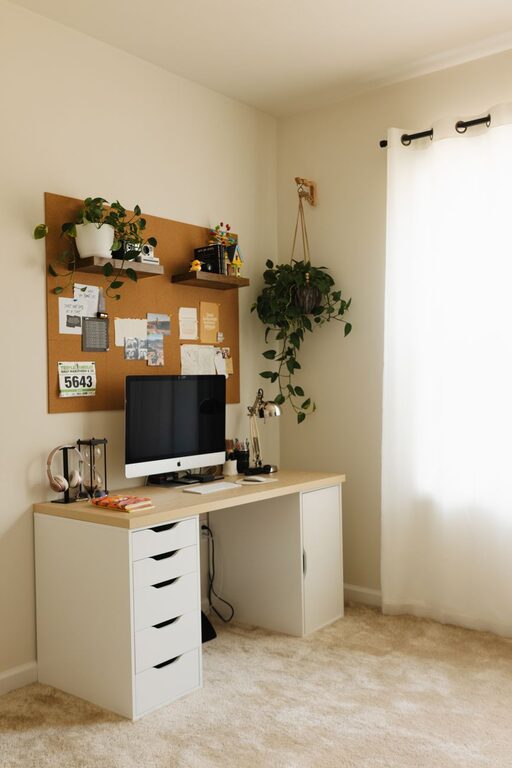
Creating a home office that feels cozy yet functional can greatly improve your productivity and overall well-being. Whether you work remotely full-time or just need a quiet corner for occasional tasks, designing a space that encourages focus without sacrificing comfort is key. Below are some helpful tips to inspire your home office setup.
Choose the Right Location
The first step is to select a spot that suits your work style and daily routine.
– Natural Light: Whenever possible, choose a space near a window to benefit from natural daylight. Sunlight boosts mood and reduces eye strain.
– Quiet Area: Opt for a part of your home away from noisy appliances or high-traffic areas.
– Space Size: Ensure there’s enough room for your desk, chair, and any equipment you need, without feeling cramped.
If a dedicated room isn’t available, even a small nook with a desk and some shelves can work well.
Invest in Comfortable Furniture
Comfort is crucial for long work hours.
– Ergonomic Chair: Select a chair that supports your lower back and promotes good posture.
– Desk Height: Choose a desk that allows your arms to rest comfortably while typing.
– Adjustable Options: If possible, consider sit-stand desks to vary your position throughout the day.
Adding a small footrest or cushions can boost comfort even more.
Prioritize Organization and Storage
Clutter can distract and reduce productivity. Keep your workspace tidy by incorporating smart storage solutions.
– Shelves and Cabinets: Use vertical space with shelves for books, files, or decorative boxes.
– Desk Organizers: Trays, pen holders, and cable management tools help keep essentials within reach but orderly.
– Filing System: Create a simple and consistent way to store papers and documents.
Regularly declutter to maintain a clean environment.
Add Personal and Cozy Touches
While functionality is important, a welcoming atmosphere makes working more enjoyable.
– Soft Textures: Place a small rug or add cushions to your chair.
– Plants: Live greenery can improve air quality and add a refreshing vibe.
– Artwork: Display calming or inspiring images to personalize your space.
– Lighting: In addition to overhead lights, try desk lamps that provide warm, adjustable illumination to reduce eye strain.
Minimize Distractions
To maintain focus, it’s helpful to control potential interruptions.
– Noise Control: Use noise-canceling headphones or play gentle background music.
– Separate Work and Leisure: Avoid working in spaces associated with relaxation or entertainment.
– Clear Boundaries: If you share your home, communicate your work hours to family or roommates.
Optimize Technology Setup
Your technology should support your workflow without causing frustration.
– Reliable Internet: Make sure your Wi-Fi connection is strong and stable.
– Cable Management: Use clips or sleeves to keep cords organized and out of the way.
– Ergonomic Accessories: Consider a quality keyboard and mouse to prevent strain.
Regularly update software and equipment to maintain efficiency.
Maintain a Routine and Refresh Your Space
Having an organized space is only one part of a productive home office.
– Daily Setup and Shutdown: Start and end your workday by tidying your desk and planning tasks.
– Break Areas: Incorporate a small spot to step away and stretch or relax briefly.
– Update Decor Seasonally: Change small decor elements to keep the space inviting and inspiring.
—
Setting up a cozy and functional home office doesn’t mean sacrificing style or comfort. By thoughtfully arranging your space, investing in quality furniture, and organizing your tools, you can create a spot that supports your best work. With a bit of personalization and regular maintenance, your home office can become a place where productivity and relaxation go hand in hand.